
GuideJanuary 14, 20259 min read
PDF Security Guide: How to Password Protect, Encrypt, and Secure Your Documents
Learn how to secure PDF documents with passwords, encryption, and access controls. A practical guide to PDF security for individuals and businesses.
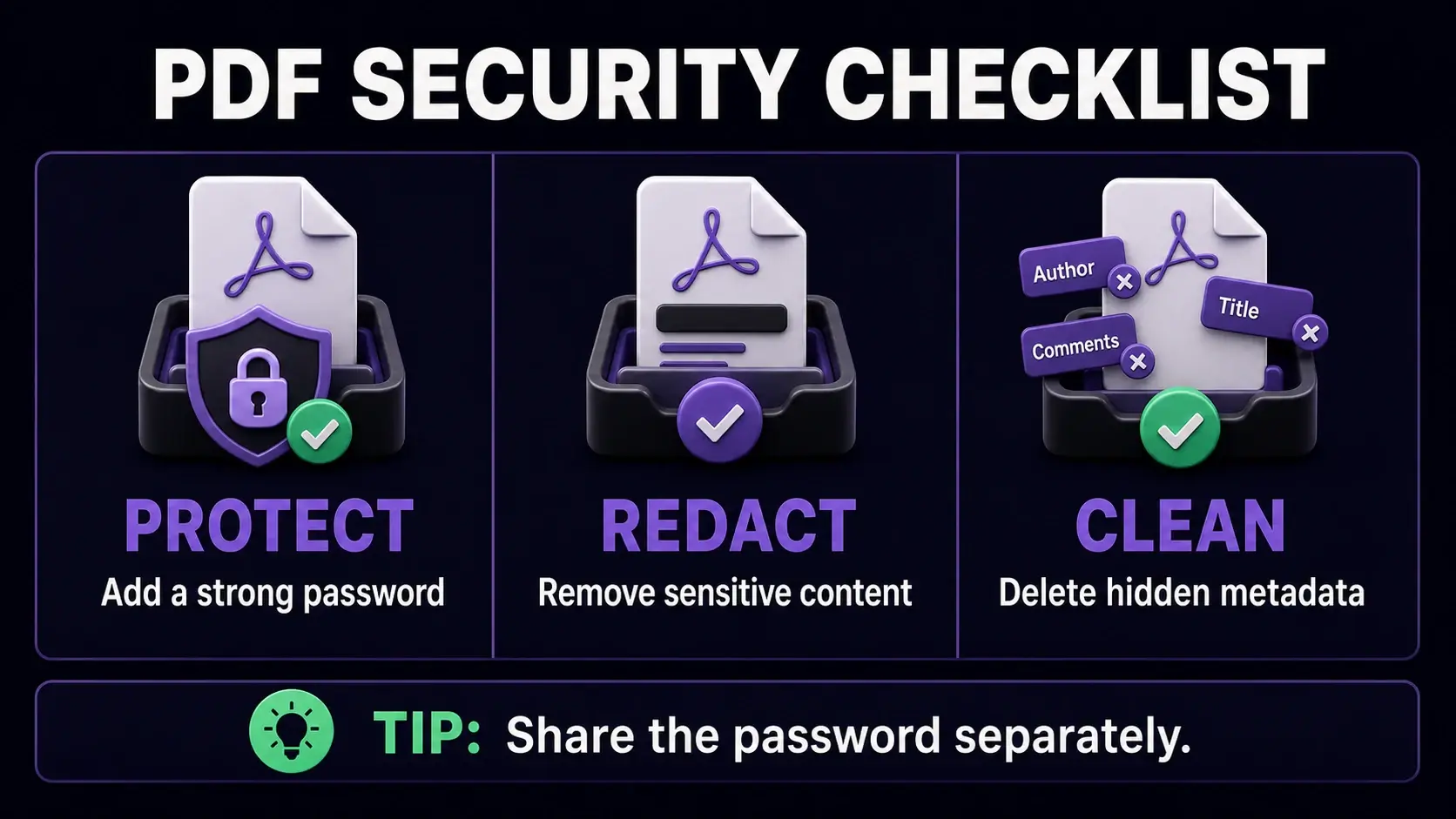
PDF is the format of choice for contracts, financial records, medical documents, and legal agreements — precisely the documents that need protection. Yet most people send PDFs with no security at all, relying entirely on the safety of their email or messaging platform. This guide explains how PDF security works, what it actually protects against, and how to use it correctly. You can add a password to any PDF directly in your browser without uploading to any server.
The Two Types of PDF Passwords
PDF supports two distinct passwords with different purposes. The User Password (also called the Open Password) encrypts the file so that only someone with the password can open and read it — this is what most people think of when they say "password protect a PDF." The Owner Password (also called the Permissions Password) does not prevent opening the file, but restricts what a reader can do with it: printing, copying text, filling forms, and adding annotations can all be individually controlled. You can set one or both. For truly sensitive documents, always set a User Password — the Owner Password alone does not prevent someone from reading the content.
How PDF Encryption Actually Works
When you set a User Password on a PDF, the file is encrypted using AES (Advanced Encryption Standard). Modern PDF viewers use AES-256 bit encryption — the same standard used by banks and governments. The password itself is not stored in the file; instead, it is used as a key to generate the encryption. Without the correct password, the encrypted content is mathematically unreadable. This is why password recovery tools for PDFs are so limited — there is no backdoor. The practical implication: if you forget your password on an encrypted PDF, the content is unrecoverable. Always store passwords securely.
Removing Passwords From Your Own PDFs
If you have a PDF with a password you no longer need — perhaps a document you received and saved securely — you can remove the password to make it easier to work with. You will need to know the current password to do this. Our unlock tool lets you provide the password and strips the protection, giving you an unencrypted copy you can freely open, print, and share. This is useful when you have already stored the document in a secure location like an encrypted drive or password manager and no longer need the PDF itself to carry the password.
Redacting Sensitive Information
Password protection prevents unauthorized access to the whole document, but sometimes you need to share a document with certain information permanently removed — an invoice with bank details, a contract with a private address, or a report with confidential client names. This is redaction. Unlike highlighting text in black (which can be removed), true redaction permanently deletes the underlying data. Our PDF redaction tool replaces selected areas with permanent black boxes so the original content cannot be recovered. Always redact before sharing documents containing personal data, legal information, or proprietary details.
Metadata: The Hidden Security Risk
Every PDF carries invisible metadata: the author name, the software used to create it, creation and modification dates, and sometimes revision history showing what text was previously in the document. This information is not visible when reading but is trivially easy to extract using any PDF viewer or metadata tool. Before sending a PDF externally — especially legal documents, job applications, or business proposals — use our metadata remover to strip this information. It is a simple step that prevents unintended disclosure of personal details, internal software names, or document history.
PDF Security Best Practices
Use strong passwords of at least 12 characters with mixed case, numbers, and symbols — dictionary words and names are easily brute-forced. Store passwords in a password manager, never in the same email as the document. For very sensitive documents, share the password via a different channel (call or text) from the document itself. Combine security layers: encrypt with a password, redact any sensitive fields before sending, and remove metadata. Regularly audit old PDFs you have shared — if a password-protected document is no longer needed by the recipient, request deletion. Security is not a single step; it is a practice applied consistently to each document you create and share.
What PDF Security Cannot Protect Against
Even strong PDF security has limits. Once a recipient has the password and opens the document, they can screenshot, photograph, or manually copy the content. PDF security controls printing and digital copying, but cannot prevent someone from taking a photo of their screen. DRM (Digital Rights Management) PDF systems exist for high-value commercial content but are complex, expensive, and often bypassed. For most business documents, password protection combined with metadata removal and selective redaction provides adequate security. The goal is not to make a document impossible to copy — it is to ensure that casual access, accidental exposure, and automated scraping cannot access the content.
Ready to Try FixMyPDF?
Free, private, no account — 79+ PDF tools that run entirely in your browser.
Explore All 79+ Tools