N-Up PDF Printing Guide: How to Print Multiple Pages Per Sheet
Complete guide to N-up printing — how to place 2, 4, 6, or 9 PDF pages on a single sheet. Covers layouts, use cases, booklet creation, and how to create N-up PDFs online for free.
N-up printing places 2, 4, 6, or 9 PDF pages on each sheet for reports, slides, handouts, and thumbnail previews.
N-up printing (also written as NUP or n-up) is the practice of placing multiple pages from a document onto a single printed sheet. Instead of one page per sheet, you get 2, 4, 6, or even 9 pages arranged side by side on a single piece of paper. It is the standard technique for printing presentation handouts, study notes, reference sheets, and compact documentation. Our N-up PDF tool is one of our most-used tools — you can create 2-up, 4-up, 6-up, or 9-up layouts online for free with no uploads required.
What Does N-Up Mean?
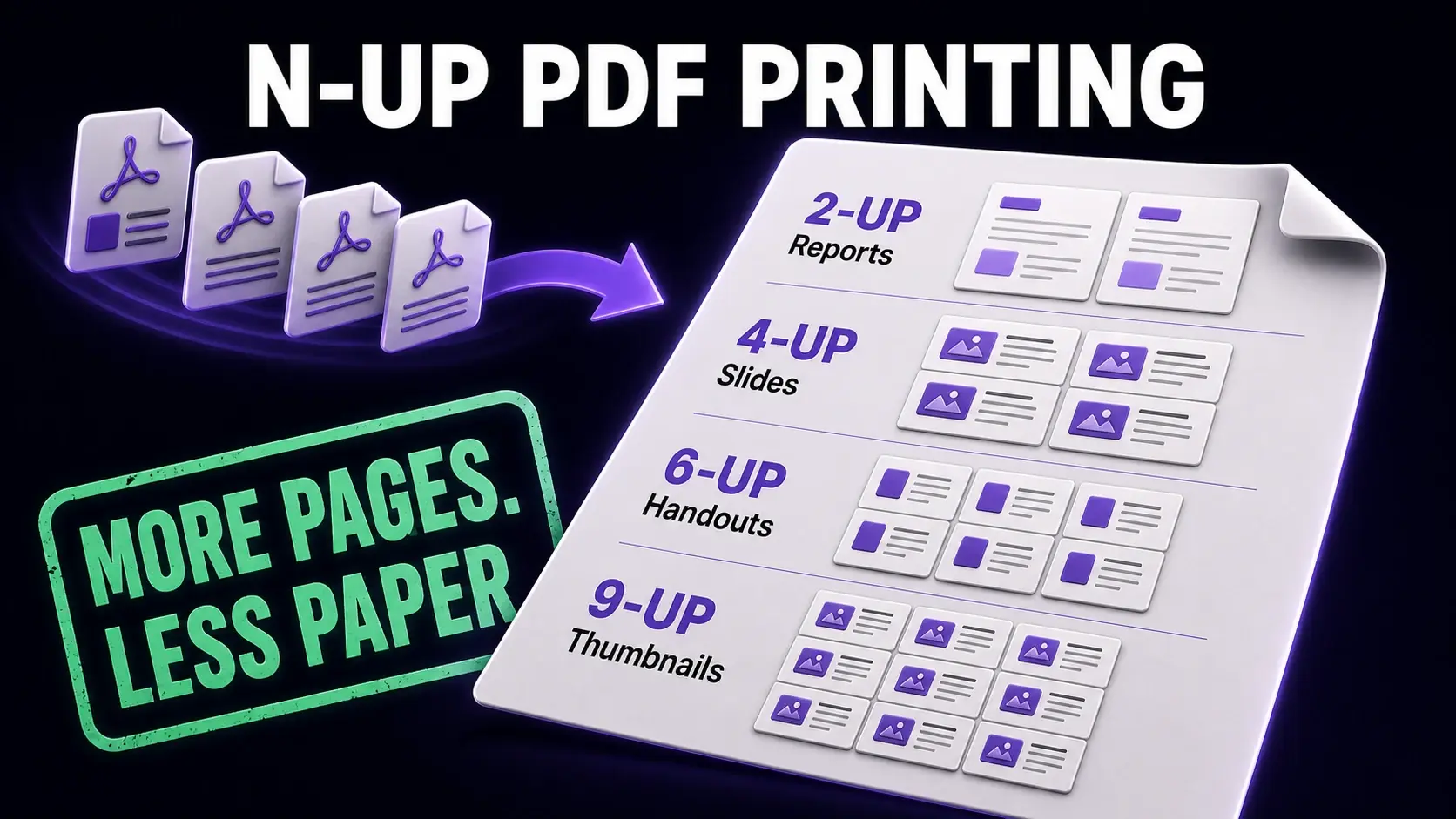
The "N" in N-up refers to the number of original pages placed on each printed sheet. A 2-up layout puts 2 pages side by side on one sheet; a 4-up layout puts 4 pages in a 2×2 grid; a 9-up layout puts 9 pages in a 3×3 grid. N-up printing does not change the content of the pages — it simply scales them down and arranges them on the sheet. The term comes from the publishing and printing industry, where "up" refers to the number of copies or pages on a single press sheet. In everyday use, people also call it "multi-page printing," "printing multiple pages per sheet," or simply "handout mode."
Common N-Up Configurations and When to Use Them
The 2-up layout is best for content that needs to remain readable — presentations you want to read after printing, side-by-side comparisons, and A3/tabloid folded to A4/letter. The 4-up layout works well for slide handouts, flashcard sets, and compact reference sheets where the content can be read at reduced size. The 6-up layout is popular for thumbnail overviews and storyboard drafts. The 9-up layout is primarily used for proof printing and visual overviews where you need to see many pages at once rather than read individual ones carefully. Match the layout to how small the content can go while remaining useful to the reader.
Creating N-Up PDFs Online With FixMyPDF
Our N-up tool creates a new PDF with the N-up layout rather than relying on printer settings. This means the output PDF already has multiple pages per sheet before printing — useful when you need to share the compact version digitally, submit it as a handout file, or print on a printer that does not support N-up settings. Upload your PDF, choose your layout (2-up, 4-up, 6-up, or 9-up), select your page orientation, and the tool creates a new PDF with the pages arranged accordingly. All processing happens in your browser without any upload to a server, and there are no file size limits.
Page Order in N-Up Layouts
Page order in N-up layouts can be horizontal (pages fill left to right, then move to the next row) or vertical (pages fill top to bottom in the first column, then move to the next column). Horizontal order is the most natural for left-to-right reading languages and is the default in most tools. For presentations used as handouts, horizontal order means page 1 is top-left, page 2 is top-right, page 3 is bottom-left, page 4 is bottom-right in a 4-up layout — which is how most people expect to read a handout. Check the page order in the output PDF before distributing to ensure the pages flow logically for your audience.
Creating Booklets With N-Up Printing
A booklet is a specific 2-up application where pages are arranged so that when the printed sheet is folded in half, the pages are in the correct reading order. For a simple 8-page booklet, the print order is: page 8 and page 1 on the first sheet (outer cover), page 2 and page 7 on the second sheet, page 6 and page 3 on the third sheet, page 4 and page 5 on the final sheet (inner). Our dedicated booklet tool handles this page ordering automatically — you just upload your PDF and it creates the correctly ordered booklet layout ready to print and fold. The N-up tool is for uniform multi-page layouts; the booklet tool is for folded booklet formats.
N-Up vs. Printer Settings: Which to Use?
Modern printers have built-in N-up settings in the print dialog, which raises the question: why create an N-up PDF instead of just using the printer? The printer approach works for immediate local printing but produces no reusable file — each print job requires the same settings to be re-entered. Creating an N-up PDF is better when you need to share the compact layout digitally (email, upload, share link), when printing on multiple machines or in different locations, when the printer lacks N-up support, or when you want to archive the compact version alongside the original. The PDF approach gives you a permanent, shareable, consistent file rather than a one-time print configuration.
Quality Considerations for Small N-Up Pages
When pages are scaled down in N-up layouts, text and images shrink accordingly. A 4-up layout on A4 paper means each original page occupies roughly the size of a playing card. Text below 8pt in the original may become illegible at this scale. Before creating an N-up PDF, check the original page for very small text, complex diagrams, or detailed images that may lose clarity when scaled down. For technical drawings, data tables, or any content with fine detail, use 2-up at most. For text-heavy slides and presentations, 4-up is usually readable. Test-print one sheet before committing to a large print run to verify readability at the reduced size.
Ready to Try FixMyPDF?
Free, private, no account — 79+ PDF tools that run entirely in your browser.