TutorialJanuary 13, 20257 min read
How to Split PDF Files: A Complete Guide to Extracting and Separating Pages
Learn how to split PDF files by page, range, or odd/even pages. Practical guide covering when to split, how to extract specific pages, and the best free tools.
You received a 200-page report but only need pages 45 to 60. You scanned a double-sided document and need to separate odd and even pages. You have a large PDF that your email server refuses to accept as an attachment. These are the situations where splitting a PDF saves significant time. Our free PDF splitter handles all of these scenarios in your browser with no uploads required.
The Three Main Ways to Split a PDF
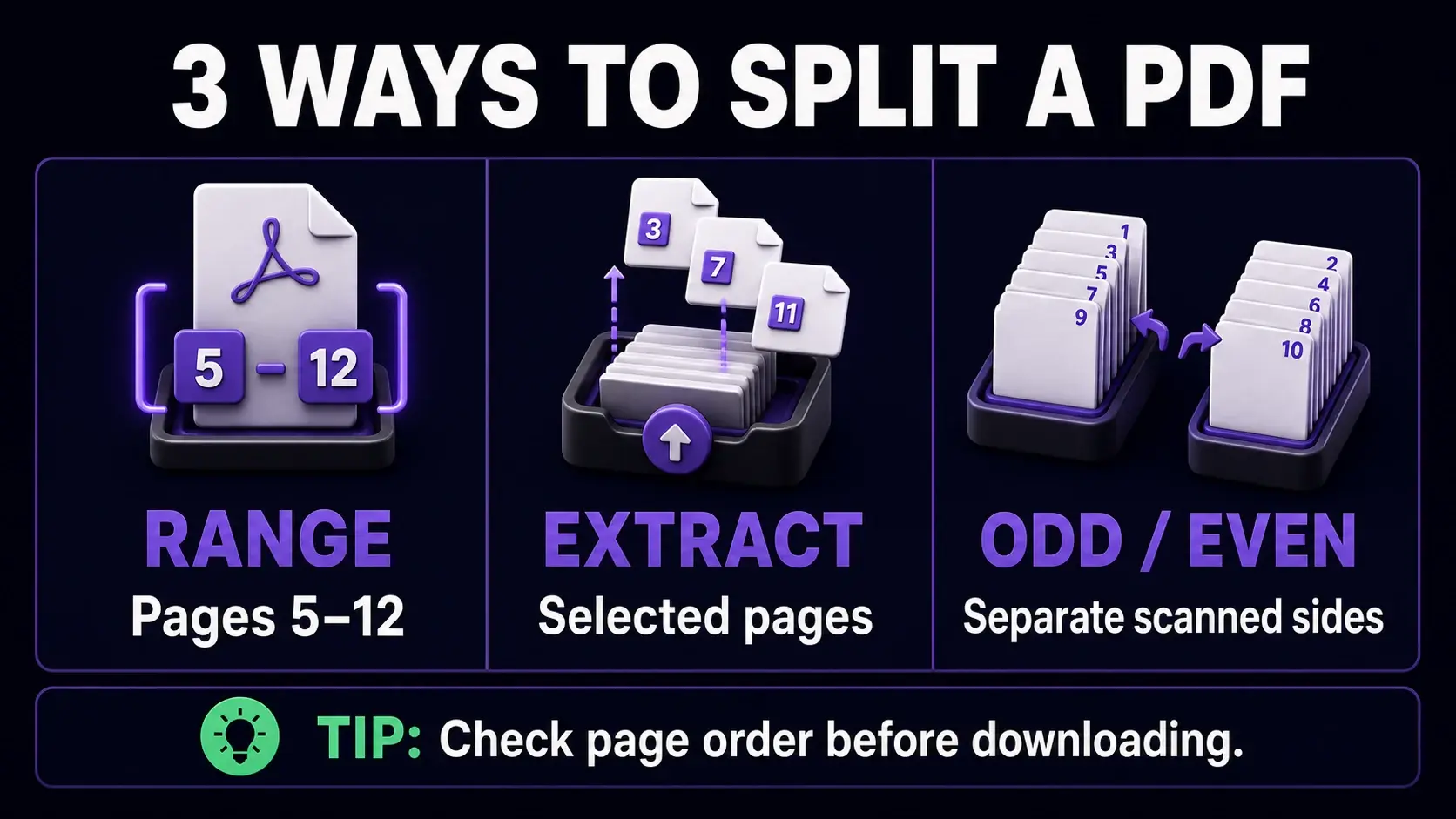
There are three core split methods, each suited to a different use case. Splitting into individual pages creates one PDF per page from the original document — useful for distributing individual pages or archiving each page separately. Splitting by page range lets you define groups like "1–10, 11–20, 21–30" and creates a separate PDF for each range — ideal for breaking a report into chapters or a contract into sections. Splitting by odd/even pages extracts all odd-numbered pages into one file and all even-numbered pages into another — the standard technique for de-interleaving double-sided scans. Our tool supports all three methods.
How to Extract Specific Pages From a PDF
To extract specific pages, open the split tool and upload your PDF. Choose "Split by page range" and enter the pages you need. The format is flexible: enter "5" for just page 5, "3-7" for pages 3 through 7, or "1,5,9-12" for a combination of individual pages and ranges. Each range creates a separate output file. For example, entering "1-10,25-35" produces two PDFs — one with pages 1–10 and one with pages 25–35. This is faster and more precise than any other method for pulling specific content from a large document.
De-Interleaving Double-Sided Scans
Flatbed scanners without automatic duplex scanning require scanning odd pages first (feed 1, 3, 5...), then flipping the stack and scanning even pages (2, 4, 6... in reverse order). You end up with two separate files that need to be interleaved to produce the correct page order. Use the odd/even split to separate a combined scan into its odd and even components. Then use our PDF merger with the files arranged in the correct interleaved order. This workflow is standard for digitizing paper documents with a basic office scanner.
Splitting Large PDFs for Email
Gmail, Outlook, and most corporate email systems limit attachments to 25MB. If your PDF is larger, the email will bounce or the attachment will be rejected. The solution is to split the PDF into smaller parts before sending. Use the page range method to divide the document into sections of manageable size, then send each part as a separate email. Name the files clearly — "Annual Report Part 1 of 3.pdf" — so the recipient knows they are related. Alternatively, you can compress the PDF first to reduce its size without splitting, which is simpler when the document cannot be logically divided into sections.
Splitting vs. Extracting: What Is the Difference?
Splitting and extracting are often used interchangeably, but there is a subtle difference. Splitting implies dividing the document into multiple complete parts — every page ends up in one of the output files. Extracting implies pulling out specific pages while potentially leaving the rest untouched. In practice, our tool does both: you can split the entire document into individual pages, or you can extract just the pages you need by specifying ranges. For simply removing a few unwanted pages from a document, the page remover tool is a more direct approach than splitting and re-merging.
Splitting PDFs Without Losing Quality
PDF splitting does not re-encode content. When you split a PDF, the tool copies the original page data directly into the new files — it does not render pages to images and re-save them. This means split PDFs are identical in quality to the original pages, with the same resolution, fonts, and vector graphics. File size is proportional: a 50-page PDF split into 5 files of 10 pages each should give roughly equal file sizes (assuming similar content density per page). There is no quality loss, no compression artefacts, and no change to the underlying page data. This is one of the advantages of splitting over other PDF operations.
After Splitting: What to Do Next
After splitting, you may need to further process the resulting files. If split files are still too large for email, compress each one to reduce file size. If pages came out in the wrong orientation, use the rotate tool to correct them. If you split by mistake and need to reassemble pages, our PDF merger lets you re-combine files in any order. For documents that were split purely to extract a section, you can also reorder the pages within the extracted file before final use. Most PDF workflows involve combining multiple tools — splitting is usually the first step.
Ready to Try FixMyPDF?
Free, private, no account — 79+ PDF tools that run entirely in your browser.
Explore All 79+ Tools