
Why Client-Side PDF Processing Matters for Your Privacy
When you use an online PDF tool, your file usually gets uploaded to a server you do not control. Here is what that means for privacy — and why browser-based processing is different.
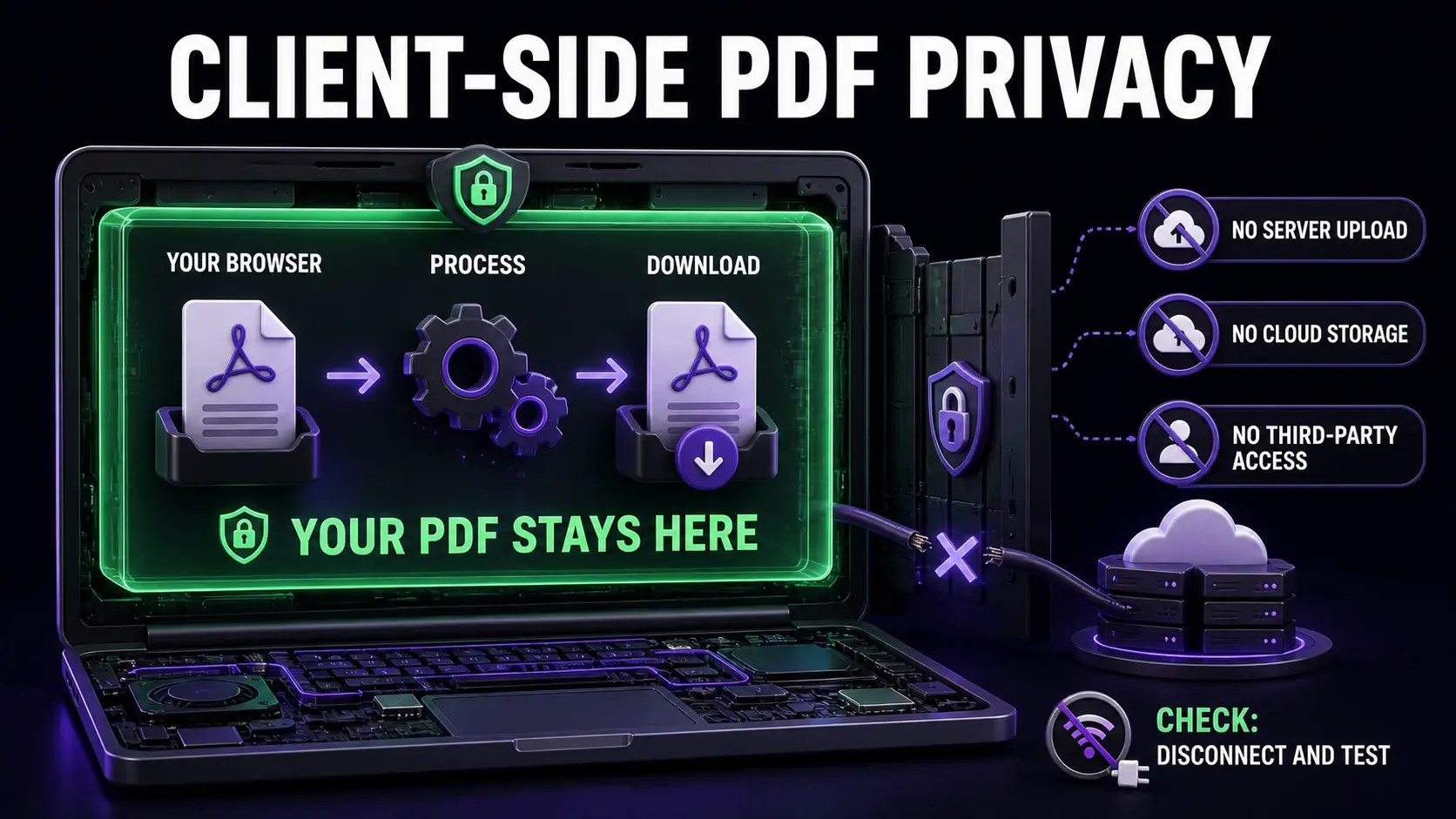
Most people do not think twice about uploading a PDF to an online tool. You need to compress a file or merge two documents — you find a tool, upload the file, download the result. Simple. But when that file contains a signed contract, a tax return, a medical record, or internal company data, the upload step is not as simple as it looks. This article explains what happens to your file on the server, why it matters, and how client-side PDF tools change the equation. For a direct comparison of which popular tools upload files vs process locally, see the PDF tool comparison table.
What Happens When You Upload a PDF to an Online Tool
When you click "Upload" on a server-based PDF tool, your file travels over the internet to a remote server — typically in a data centre in Europe or the United States. The server reads the file, processes it (compresses, merges, converts), stores the output, and makes it available for you to download. Most services then delete the file after a period ranging from one hour to 24 hours. Some keep it longer for logged-in users or for troubleshooting. During that window, your file exists on infrastructure you do not own or control.
The Privacy Risks of Server-Side PDF Processing
Several risks exist when your file lives on a remote server, even briefly. Data breaches: the server could be compromised. In 2021, multiple document processing services were found to have security vulnerabilities exposing user files. Insider access: employees of the service could theoretically access uploaded files, depending on their access controls and logging practices. Compliance violations: uploading documents containing personal data (names, addresses, financial records, health information) to a third-party server may violate GDPR, HIPAA, or your organisation's data handling policies. Metadata exposure: PDF files often contain metadata — author name, creation software, revision history — that you may not want to share with a third-party service. Legal and regulatory: in some professions (law, medicine, finance), sharing client documents with unvetted third-party services may breach professional obligations.
What "Client-Side Processing" Actually Means
Client-side processing means the computation happens on your device — in the browser tab — using a technology called WebAssembly. WebAssembly allows high-performance code (originally written in C, C++, or Rust) to run inside a browser at near-native speed. PDF manipulation libraries like pdf-lib, PDF.js, and MuPDF have been compiled to WebAssembly and can run entirely in the browser. When FixMyPDF processes your PDF, JavaScript loads the WebAssembly module, reads your file from your local filesystem into browser memory, runs the processing (compression, merge, split, etc.) entirely within the browser tab, and writes the output file back to your local filesystem via a download. No part of this process involves a network request for your file data. The file never leaves your device.
How to Verify a Tool Is Actually Client-Side
You do not have to take a tool's word for it. Open your browser's developer tools (F12), go to the Network tab, clear the log, then use the PDF tool. If the tool is genuinely client-side, you will see no outgoing network requests containing your file data when you click "Process". You can also test by disconnecting from the internet after the page loads — a truly client-side tool will continue to work offline, because it has everything it needs already loaded in the browser. Try this with FixMyPDF's compressor: load the page, go offline, upload a file, compress it. It will work.
Limitations of Client-Side PDF Tools
Browser-based processing is not infinitely capable. Some PDF operations genuinely require server-side infrastructure: OCR (recognising text in scanned documents) requires large AI models that are impractical to run in a browser today. MS Office conversion (PDF to Word, Excel) involves complex document parsing that benefits from server-side processing. Very large batch operations (processing hundreds of files) are more efficiently handled by server infrastructure than by a single browser tab. For these use cases, a server-based tool may be the only option. But for the majority of everyday PDF tasks — compress, merge, split, rotate, protect, sign, annotate, convert images — client-side processing is fully capable and dramatically safer.
Choosing the Right Tool for Sensitive Documents
The practical guidance: for any PDF containing personal data, confidential business information, legal documents, financial records, or health information — use a client-side tool. For non-sensitive documents where you need OCR or Office conversion, a reputable server-based tool with a clear privacy policy and automatic deletion is an acceptable trade-off. FixMyPDF covers 76+ operations entirely client-side, including redaction, password protection, metadata removal, and annotation flattening — the operations most commonly needed for sensitive documents.
Ready to Try Our Tools?
Experience fast, secure, and private PDF processing in your browser.
Explore All Tools


