
Convert PDF to Black and White Online: Free & Easy Guide
Convert your PDF to black and white or grayscale online for free. Save printer ink, reduce file size, and get a cleaner document in seconds, no software needed.
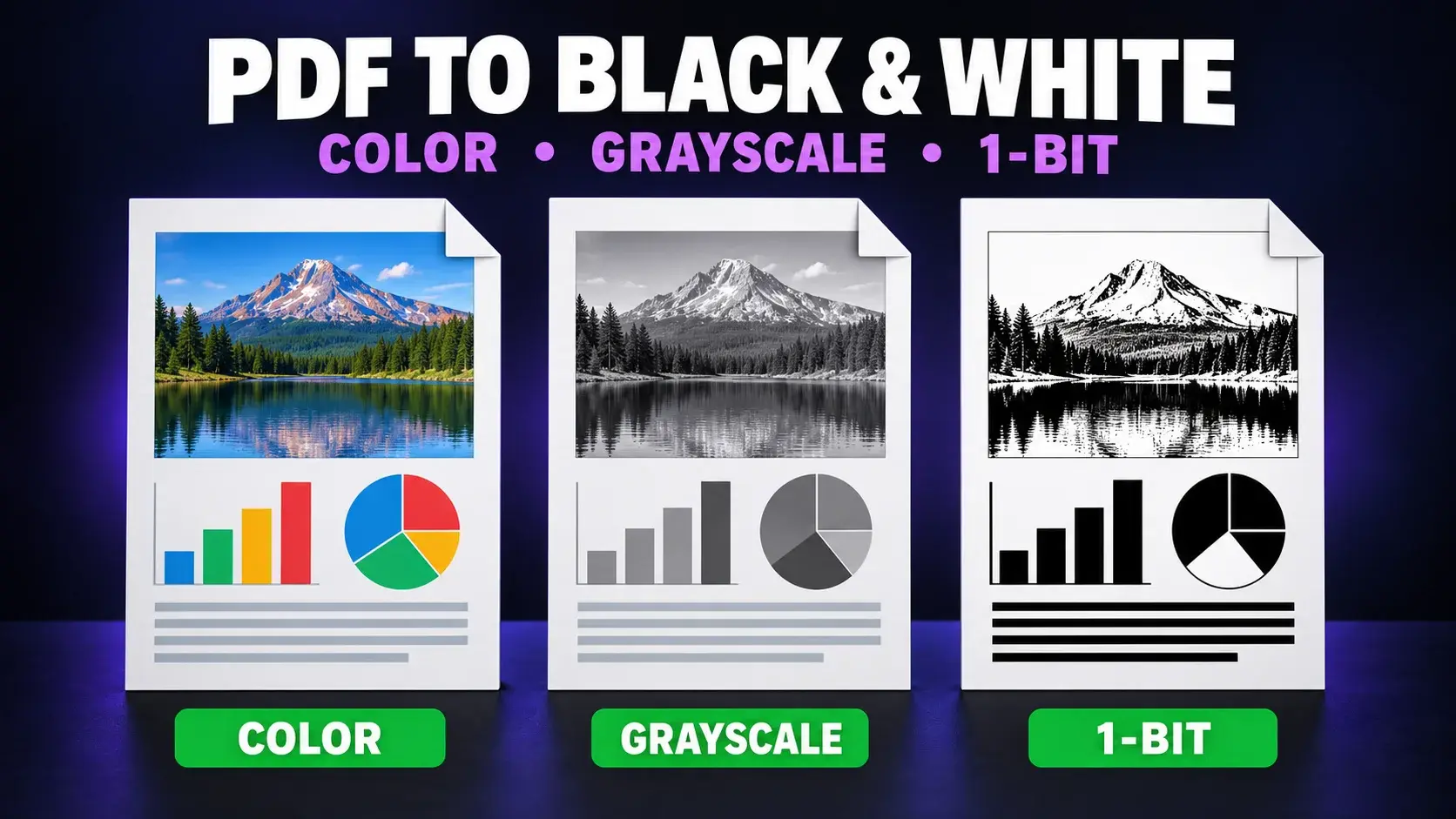
Sometimes a colorful PDF just isn't what you need. Maybe you're printing on a black-and-white printer and want to save ink. Maybe you need a cleaner, more professional scanned document. Or maybe color makes the text harder to read. Whatever the reason, converting a PDF to black and white online is quick, free, and requires no software installation.
This guide covers exactly how to do it, when it makes sense, and what to expect from the result.
Why Convert a PDF to Black and White
- Save printer ink. Most documents do not need expensive color cartridges.
- Improve readability. Colored text or backgrounds can make scans harder to read.
- Meet submission requirements. Some forms and print shops require black-and-white documents.
- Reduce file size. Grayscale images are usually smaller than color versions.
- Create a uniform look. Scanned documents can appear cleaner and more professional.
How to Convert a PDF to Black and White Online
- Open FixMyPDF's Black and White Converter.
- Upload your PDF.
- Convert every page to grayscale or black and white.
- Preview the result if available.
- Download the converted file.
The process usually takes under a minute, with nothing to install.
Grayscale vs. True Black and White: What's the Difference?
Grayscale converts colors into shades of gray. Photos and backgrounds retain gradients and shadows.
True black and white, also called bi-level or 1-bit, uses only pure black and pure white. It suits text-heavy documents but can lose photo detail.
Grayscale is better for everyday printing, saving ink, and cleaning scans. True black and white is useful for faxing, repeated photocopying, or the smallest possible file.
Comparison: Ways to Convert PDF to Black and White
| Method | Speed | Cost | Photo Detail | Best For |
|---|---|---|---|---|
| Browser-based tool | Under 1 minute | Free | Yes | Quick conversions |
| Print in grayscale | A few minutes | Free | Yes | One-time printing |
| Adobe Acrobat | A few minutes | Paid | Yes | Batch control |
| Mobile scanning apps | 1 to 2 minutes | Varies | Varies | Physical scans |
| Image editing software | 10+ minutes | Varies | Full control | Complex files |
Things to Know Before You Convert
- Text stays sharp because only colors and images change.
- Colored charts may lose meaning when categories rely on color.
- Keep the original color version as a backup.
- File size usually shrinks, especially for scanned PDFs.
Need a cleaner file for printing or sharing? Try FixMyPDF's free Black and White Converter. Everything runs securely in your browser.
Frequently Asked Questions
Ready to Try FixMyPDF?
Free, private, no account — 79+ PDF tools that run entirely in your browser.
Explore All 79+ Tools