FixMyPDF vs iLovePDF: An Honest Comparison for 2026
iLovePDF is popular but comes with file size caps, daily task limits, and server-side processing. See how FixMyPDF compares on privacy, limits, and features.
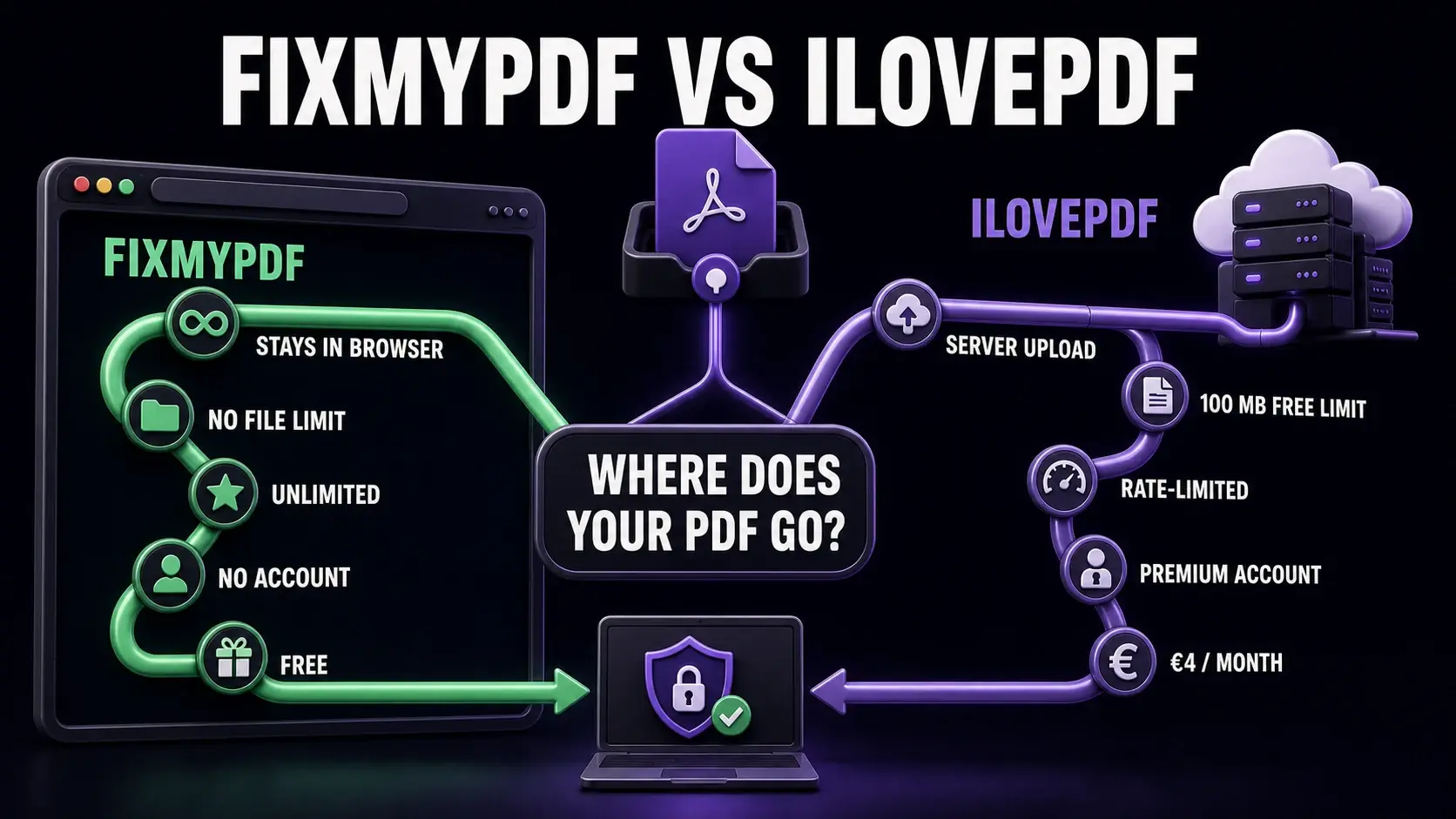
FixMyPDF keeps PDFs in the browser with no file or task limits, while iLovePDF uses server processing with free-tier restrictions.
iLovePDF has built a large following with its clean interface and wide tool selection. But for users who care about privacy — or who regularly work with large files — it has meaningful limitations. Here is how FixMyPDF and iLovePDF compare across the factors that matter most. You can also see the full comparison table covering all major PDF tools side by side.
FixMyPDF vs iLovePDF — Feature Comparison
Feature
FixMyPDF
iLovePDF
File size limit
No limit
100 MB (free)
Daily task cap
Unlimited
Rate-limited on heavy use
Account required
Never
Optional (required for Premium)
Files uploaded to server
Never — 100% browser
Yes — deleted after 2 hours
Watermarks on output
None, ever
None on free
Price
Free forever
€4/month (Premium)
Mobile app
Mobile web (no app needed)
iOS + Android apps
PDF to Word/Excel
Not available
Yes (server-side)
Processing: Server vs Browser
iLovePDF processes your files on their servers. Every PDF you upload travels to their infrastructure, gets processed, and is temporarily stored before you download the result. Their privacy policy states files are deleted after two hours, but the upload still occurs. FixMyPDF is client-side only. WebAssembly runs the entire processing pipeline in your browser. Nothing is transmitted. This is not a marketing claim — you can verify it by turning off your internet connection after the page loads, then processing a file. It works, because no network request is required for processing.
File Size and Task Limits
iLovePDF free limits file size to 100MB and restricts usage after a daily threshold (the exact limit is opaque but users frequently encounter rate-limiting on heavy usage days). iLovePDF Premium removes these limits for €4/month (annual plan). FixMyPDF has no file size limit and no usage limit. Process files of any size, as many times as you need, with no throttling.
Mobile and Tablet Experience
iLovePDF offers dedicated iOS and Android apps which some users prefer for mobile workflows. FixMyPDF is a mobile-optimised web application — it works on any device with a modern browser, including iPhone, iPad, and Android. No app download is required. WebAssembly performance on mobile has improved significantly in 2025-2026, making browser-based processing genuinely fast on current devices.
Collaboration Features
iLovePDF Premium includes basic team collaboration and cloud integration features. FixMyPDF is designed for individual use — no cloud storage, no team accounts, no sharing workflows. If your use case is a small team with a shared PDF workflow, iLovePDF Premium or an enterprise-grade document management system may be more appropriate. For individual users, this trade-off heavily favours FixMyPDF.
Tool Coverage
iLovePDF covers the standard operations: compress, merge, split, convert (PDF to Word, Excel, PowerPoint), sign, watermark, protect. FixMyPDF covers the same PDF-native operations plus more specialised tools: PDF comparison, redaction, structure inspection, dark mode conversion, and annotation flattening. Neither tool includes cloud-based OCR or MS Office conversion — those require server-side processing by nature.
Verdict
For privacy-conscious users, those with large files, and anyone who dislikes usage caps or subscriptions, FixMyPDF is the stronger choice. iLovePDF is worth considering if you specifically need its mobile apps or MS Office conversion features (PDF to Word/Excel), which require server-side processing and are not available in a purely browser-based tool. For everything else — compress, merge, split, rotate, protect, sign, annotate — FixMyPDF does it locally, for free, with no limits.
Frequently Asked Questions
Ready to Try FixMyPDF?
Free, private, no account — 79+ PDF tools that run entirely in your browser.