FixMyPDF vs Sejda: Which Free PDF Tool Should You Use in 2026?
Sejda offers a decent free tier at 50 MB and 3 tasks/hour — but it still uploads your files to a server. Here is how it compares to FixMyPDF on privacy, limits, and features.
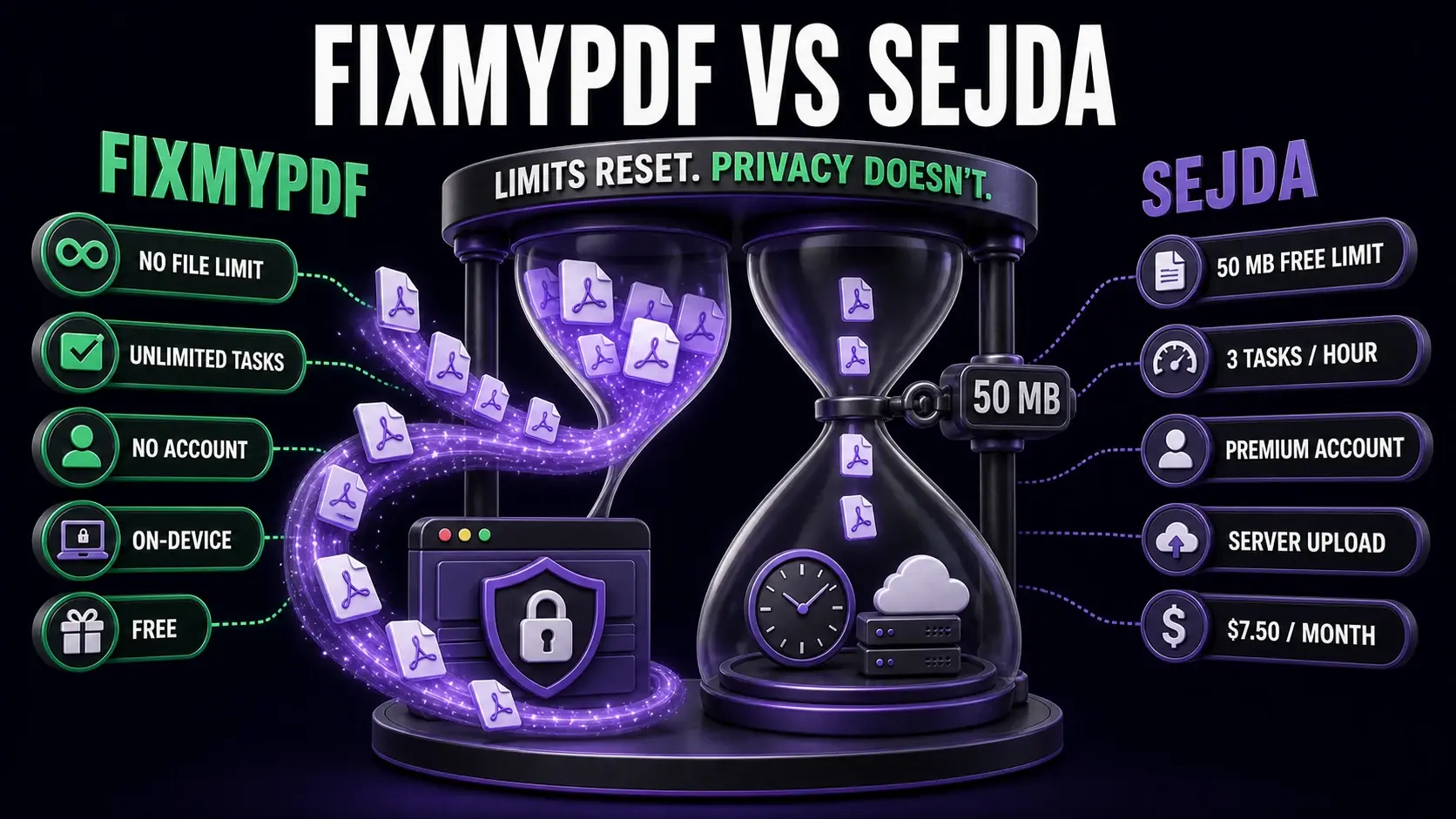
FixMyPDF offers unlimited local processing, while Sejda limits free users to 50 MB and three tasks per hour with server uploads.
Sejda stands out among server-based PDF tools for having a relatively generous free tier: 50 MB file size limit and 3 tasks per hour without requiring an account. For many users, that is enough. But there is still a fundamental issue — your files are uploaded to their servers. This comparison breaks down how FixMyPDF and Sejda differ, and when each is the right choice. For a full side-by-side matrix including Smallpdf, iLovePDF, and Adobe, see the PDF tool comparison table.
FixMyPDF vs Sejda — Feature Comparison
Feature
FixMyPDF
Sejda
File size limit
No limit
50 MB (free)
Task limit
Unlimited
3 tasks/hour (free)
Account required
Never
No (but needed for Premium)
Files uploaded to server
Never — 100% browser
Yes — deleted after 2 hours
Watermarks on output
None, ever
Yes on some free operations
Price
Free forever
$7.50/month (Premium)
PDF text editor
Not available
Basic inline editor
PDF to Word/Excel
Not available
Yes (server-side)
The Upload Question
Sejda processes your PDFs on their servers. Your file travels to their infrastructure, gets processed, and is deleted after two hours according to their privacy policy. For non-sensitive documents, this is an acceptable trade-off. For contracts, medical records, financial documents, or anything confidential, any server-side upload is a risk. FixMyPDF processes everything entirely in your browser using WebAssembly — your file never leaves your device. No upload, no server storage, no two-hour deletion window to worry about. The processing is fully local and verifiable: disconnect from the internet after loading the page and every FixMyPDF tool continues to work.
File Size and Task Limits
Sejda free: 50 MB limit, 3 tasks per hour, maximum 200 pages per document. These are among the more generous free-tier limits in the industry — much better than Smallpdf's 5 MB. Still, 50 MB will not accommodate large presentation PDFs, high-resolution scans, or merged reports with images. The 3 tasks/hour cap means if you process more than three files in an hour, you are blocked until the window resets. FixMyPDF: no file size limit, no tasks per hour, no page limit. Your device's RAM is the only constraint — in practice, this means files of several hundred megabytes process without issue on any modern device.
Account Requirements
Sejda does not require an account for basic free use, which is a genuine advantage over Smallpdf. However, Sejda Premium (which removes limits) requires an account and costs $7.50/month. FixMyPDF requires no account for any tool, at any time. There is no Premium tier — every tool, unlimited, free, no login.
Tool Coverage
Sejda covers the core PDF operations plus some editing features: compress, merge, split, convert to/from Word and Excel (server-side), rotate, protect, sign, add page numbers, crop, and watermark. It also has a basic PDF editor for text changes. FixMyPDF offers 79+ tools covering all the same PDF-native operations plus more specialised ones: PDF dark mode, document comparison, metadata removal, annotation flattening, N-up printing, and more. Neither tool includes OCR — that requires server-side machine learning models that are too large for a browser.
Watermarks
Sejda adds watermarks to the output of some operations on the free plan — specifically certain editing operations. This is unusual among PDF tools and can be frustrating when you only realise after downloading the result. FixMyPDF never adds watermarks to any output on any tool, ever. What you process is what you download.
When to Choose Sejda
Sejda is worth using when you need PDF to Word or Excel conversion (Sejda's server-side conversion is reasonably accurate), when you need OCR on scanned documents, or when you prefer a tool with a basic inline text editor. For everything else — compress, merge, split, rotate, protect, annotate, sign — FixMyPDF does the same job locally with no limits, no upload, and no cost.
Frequently Asked Questions
Ready to Try FixMyPDF?
Free, private, no account — 79+ PDF tools that run entirely in your browser.